01One job
Upload the request
A user uploads the PDF, adds the customer's name and starts a job. The document becomes the starting point for a structured workflow in one application.
- PDF upload
- Customer
- Job
Case study / Swiss HVAC manufacturer
A Swiss HVAC manufacturer needed to turn long customer documents into usable product requirements. Werkon built an AI application that finds the relevant sections, extracts the requirements and matches them to the product database. People review and approve both stages. Reported average processing time fell from more than eight hours to under 30 minutes, including human verification.
The workflow
An incoming RFQ could mean a PDF of around 300 pages from an architect or builder. A six-person team had to find the relevant section, extract requirements, interpret unfamiliar product names and prepare ERP entries. Before anyone could respond, hours had already gone into understanding the request. We built a complete web application around that work, with a product database, jobs, users, settings and audit logs.
A user uploads the PDF, adds the customer's name and starts a job. The document becomes the starting point for a structured workflow in one application.
The application breaks the document into chunks. AI locates the relevant sections and extracts the required product data into a structure aligned with the manufacturer's ERP.
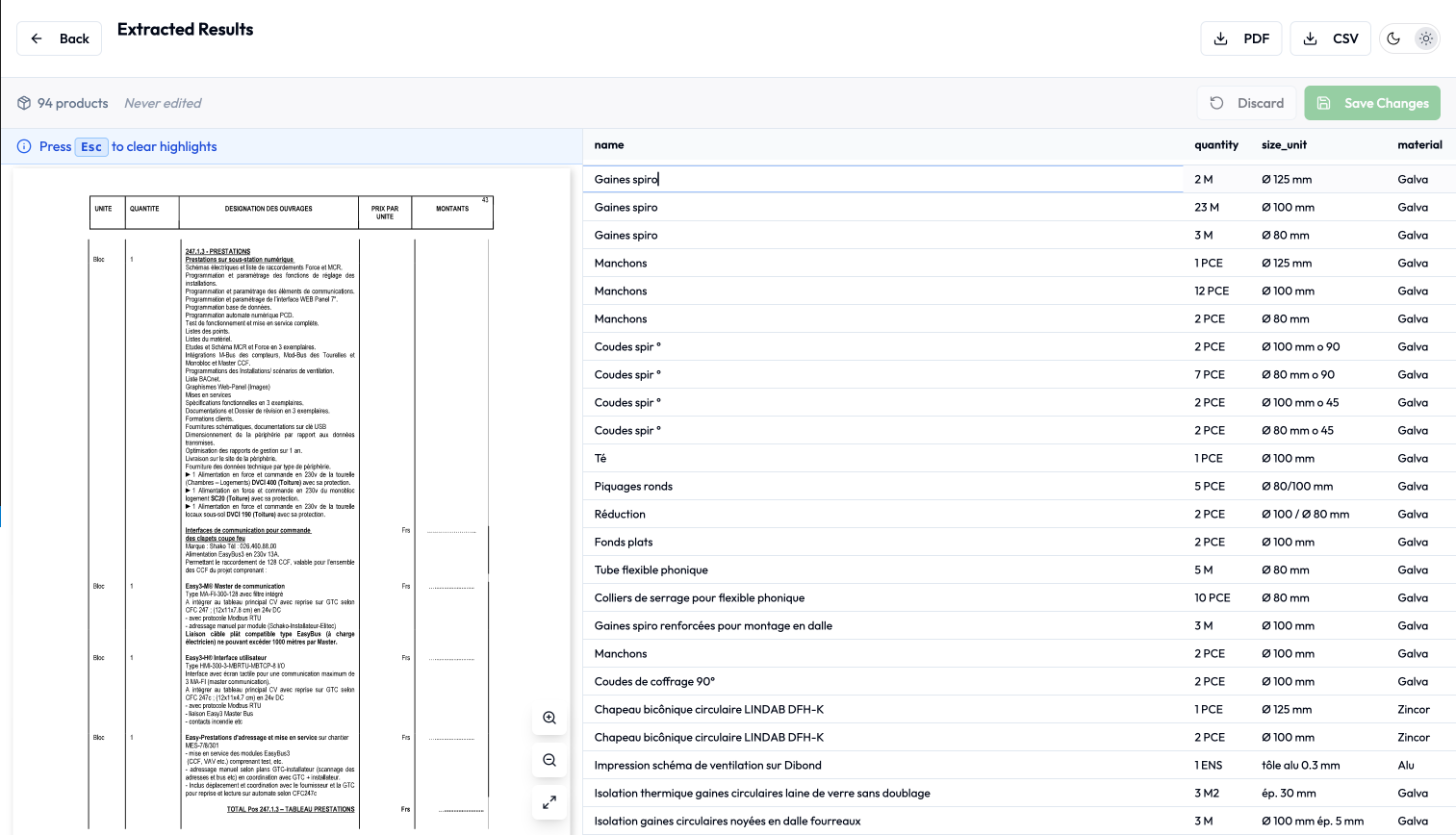
Reviewers inspect and edit the extracted values in a table. Product matching starts only after verification, so the next stage works from reviewed requirements.
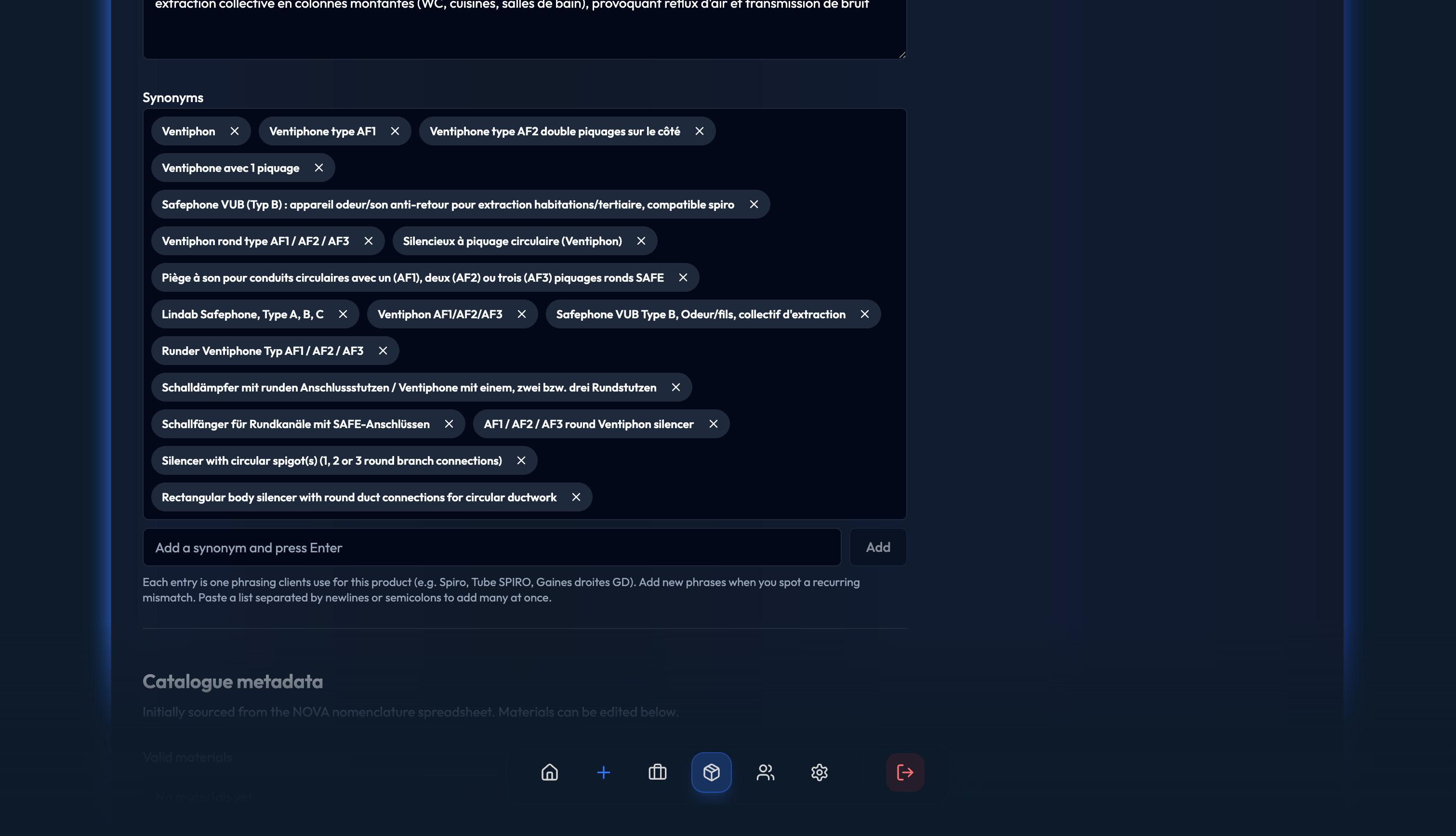
AI matches the verified entries against the product database. Each product's keyword field supplies alternative names and phrases that may appear in customer documents.
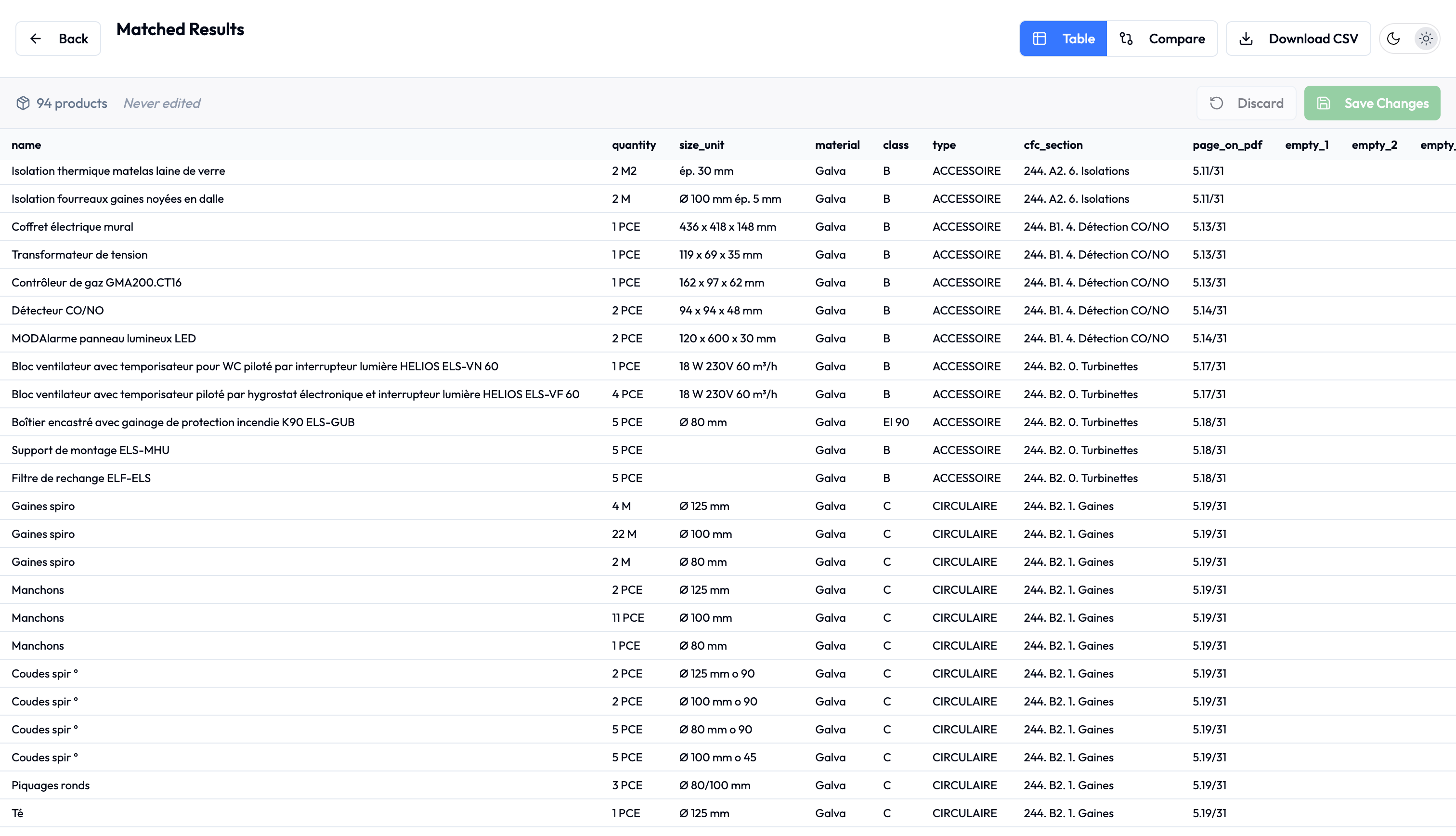
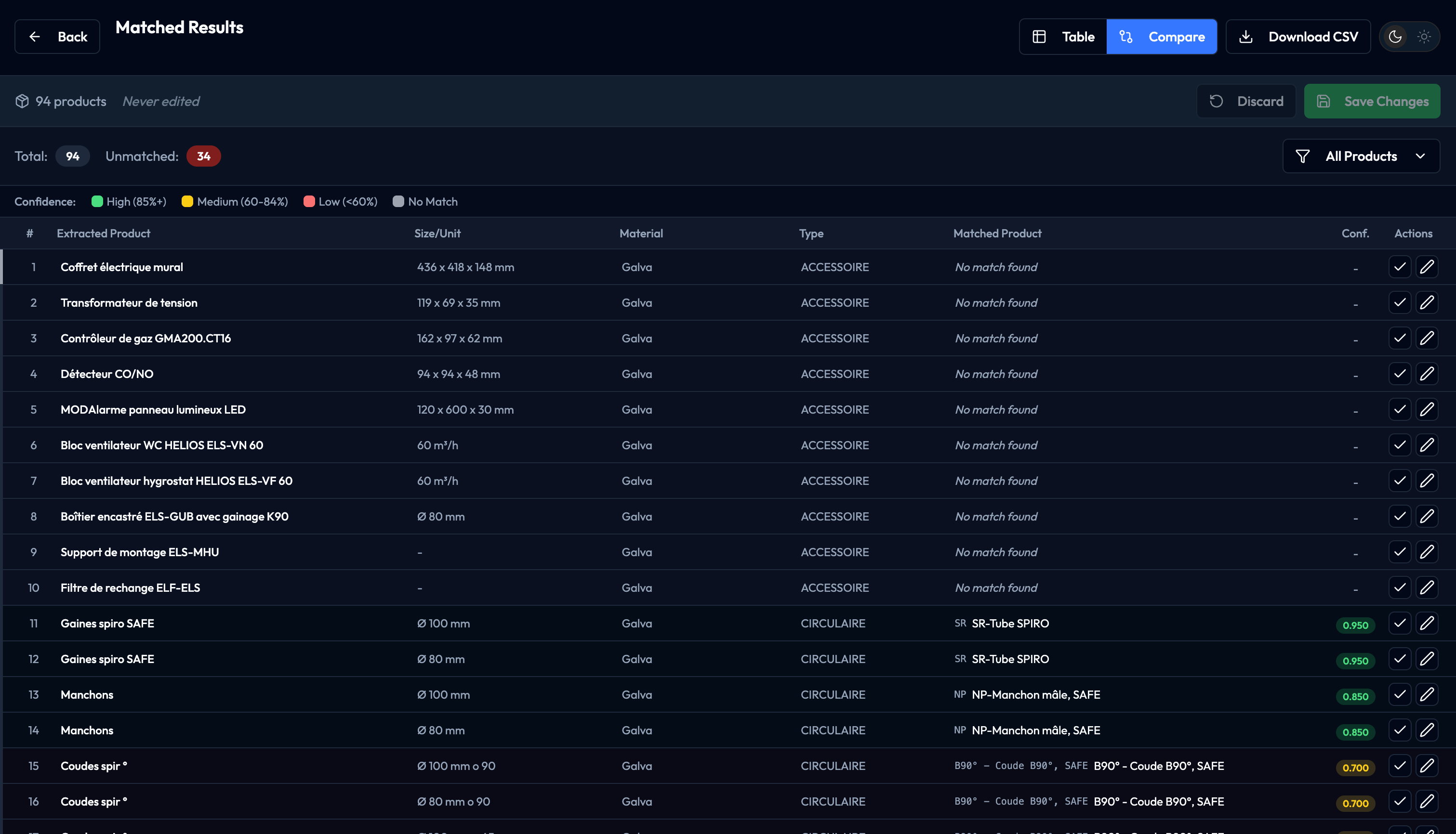
Reviewers can use the standard matching view or switch to Compare, which shows the fields that determine the product. They can edit values directly in the application.
The matched entries are structured in the format the manufacturer needs for its ERP workflow. AI handles extraction and matching; people retain approval of the result.
Inside the application
The useful interface is the one that makes a questionable entry easy to inspect and correct. These four application views show where reviewers work, from the source document to product comparison and the vocabulary used for matching. Select any screenshot to take a closer look.
The extracted requirements remain editable before the reviewer moves the job into matching.
The standard view brings proposed product matches into a table the reviewer can inspect and edit.
A focused view shows the fields that determine the product, helping the reviewer check the proposed match.
Reviewers can add an unfamiliar product name to the keyword field so it is available as context for later matching.
What made the difference
Werkon's delivery account reports average processing of under 30 minutes per RFQ pack, including human verification, compared with more than eight hours before. Customer responses moved from roughly three days to the same day. These are reported operating figures; a formal measurement period and sample size have not been supplied.
A Systems Audit is the usual starting point. If the opportunity is already clear, we can move directly into a focused build.
Show Us the WorkflowStart with the free automation readiness checklistOBSERVEQUANTIFYDECIDEBUILD
Continue with the work
Stay with the operating question. The technology can wait until the work is clear.